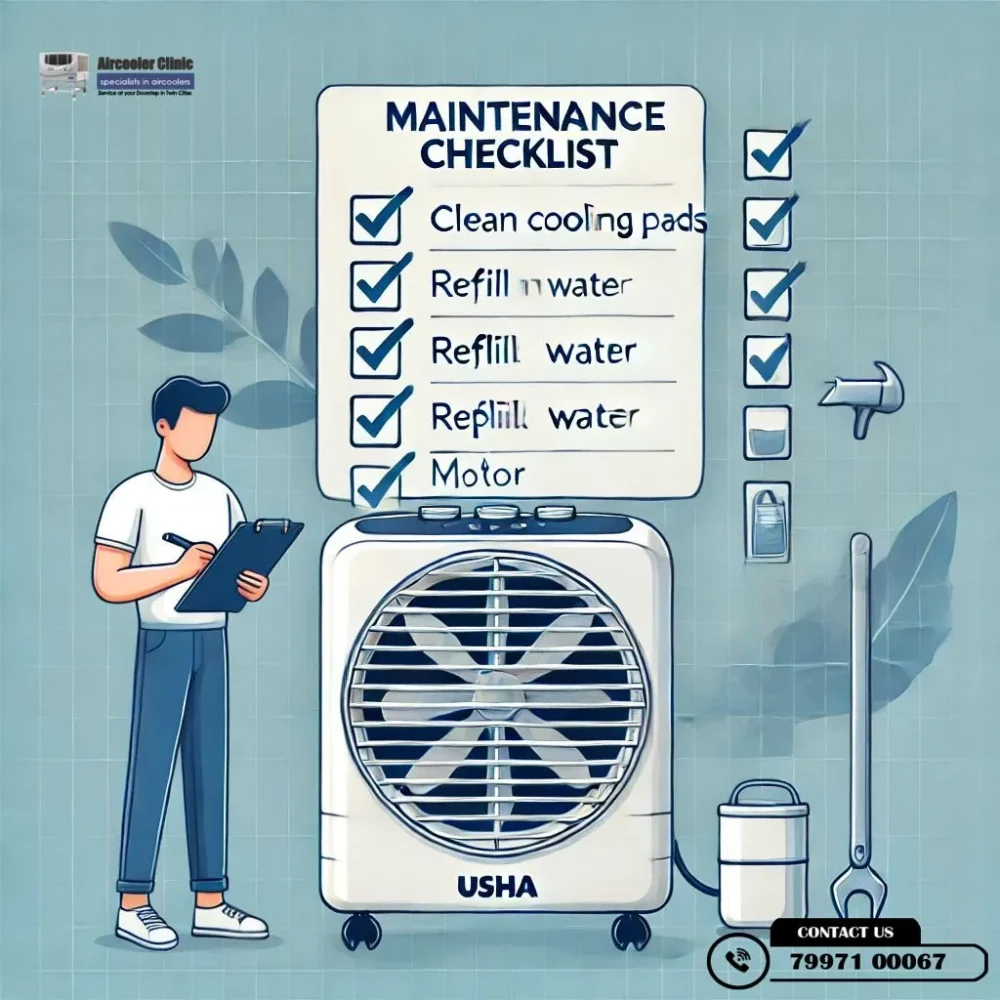
Step-by-Step Maintenance Checklist for Long-Lasting Usha Air Coolers
Regular maintenance helps keep a Usha air cooler clean, maintain airflow and identify visible problems before they become more serious. A useful routine includes refreshing the water, cleaning the tank and cooling media according to the model instructions, removing accessible dust, checking ventilation and preparing the appliance properly for seasonal storage.
Safety first: Switch off and unplug the cooler before cleaning, draining water or carrying out maintenance. Never open electrical compartments or attempt DIY repairs on motors, capacitors, wiring or other internal components.
Quick Answer: How Do You Maintain a Usha Air Cooler?
Follow these essential maintenance steps:
- Switch off and disconnect the cooler from the power supply before cleaning.
- Empty stale water and clean the tank according to the manufacturer’s instructions.
- Inspect the cooling pads or honeycomb media and clean them using the method approved for your model.
- Remove dust from accessible exterior surfaces and airflow openings.
- Maintain suitable ventilation around the cooler.
- Look for visible leakage, unusual odours, damaged cords and restricted airflow.
- Clean and dry the appliance as instructed before storing it for an extended period.
- Arrange professional inspection if a problem involves electrical, motor, pump or internal mechanical components.
For model-specific instructions, refer to Usha’s official air cooler FAQs and maintenance guidance.
Before You Start: Essential Safety Precautions
Before cleaning your Usha air cooler:
- Turn the appliance off and unplug it from the electrical outlet.
- Keep water away from the plug, controls, wiring and other electrical areas.
- Use only cleaning methods recommended for your particular model.
- Do not use corrosive products or unapproved chemicals.
- Do not operate the cooler while internal components are exposed.
- Avoid moving a filled cooler if doing so could cause water to spill or create a handling hazard.
If the power cord or plug is damaged, you notice a burning smell, or water has reached electrical components, stop using the appliance and arrange appropriate professional inspection.
Step 1: Inspect the Cooler Before Cleaning
Start with a visual inspection of the appliance.
Look for:
- Dust around accessible air inlets and outlets.
- Dirty or visibly damaged cooling media.
- Water collecting underneath the cooler.
- Stale water or an unpleasant odour.
- Reduced airflow or unusual operating noise.
- Visible damage to the power cord or plug.
These observations help identify the type of maintenance that may be needed. They do not, by themselves, establish a definite mechanical fault.
If you notice electrical damage or signs of unsafe operation, do not continue using the appliance merely to test whether it still works.
Step 2: Drain and Clean the Water Tank
Water management is an important part of air cooler maintenance. Water left standing for an extended period can contribute to unpleasant odours and deposits.
Follow these steps where permitted by your model’s instructions:
- Switch off and unplug the cooler.
- Move it only if necessary and safe to do so.
- Drain the old water using the designated drain mechanism.
- Clean accessible tank surfaces according to the manufacturer’s instructions.
- Remove visible dirt without damaging the tank or its fittings.
- Refit the drain plug securely if your model uses one.
- Refill with clean water up to the recommended level.
Do not exceed the tank’s indicated maximum level.
Usha’s published guidance recommends regular water replacement and explains that mineral deposits can develop depending on local water conditions. Follow the instructions supplied with your own cooler for the appropriate cleaning frequency.
Step 3: Clean the Cooling Pads or Honeycomb Media
Cooling pads hold water as air passes through them. Dust and mineral deposits can accumulate on the media and restrict airflow.
How to clean the cooling media safely
- Switch off and unplug the cooler.
- Consult the manual to determine whether the cooling media are intended to be removed by the user.
- Follow the model-specific instructions for accessing the media.
- Rinse with clean water if the manufacturer permits this method.
- Allow the media to drain or dry as directed.
- Reinstall all removed components correctly before using the appliance again.
Do not force a pad out of its housing or use harsh chemicals to remove stubborn deposits. If the media are damaged, heavily deteriorated or difficult to access, check the manufacturer’s replacement or service guidance.
How often should you clean the cooling pads?
There is no single schedule that applies equally to every Usha model and every environment.
Usha’s official guidance says cleaning frequency depends on local air and water conditions. Mineral-rich water can leave deposits on honeycomb media and restrict airflow. The manufacturer gives periodic cleaning guidance for its products, but the appropriate procedure and interval should be confirmed against the instructions for your model.
Step 4: Remove Dust From Accessible Exterior Areas
Dust around the exterior and airflow openings can interfere with normal air movement.
With the appliance unplugged:
- Wipe accessible outer surfaces using an appropriate cloth.
- Remove loose dust from accessible air inlets and outlets.
- Keep the air outlet free from obstructions.
- Avoid allowing water to enter the controls, electrical areas or other sensitive components.
Do not spray water directly into the appliance or use high-pressure cleaning unless the manufacturer explicitly permits the method for your model.
Step 5: Maintain Suitable Airflow and Ventilation
An evaporative air cooler relies on water evaporation and the movement of air. It does not work in exactly the same way as an air conditioner.
For suitable operation:
- Keep the air inlet and outlet unobstructed.
- Position the cooler according to the manufacturer’s guidance.
- Provide appropriate fresh-air circulation through an open window, door or other suitable opening.
- Avoid placing objects directly in front of the outlet.
- Consider the room’s humidity and ventilation when assessing cooling performance.
Usha recommends suitable cross-ventilation for effective evaporative cooling. If the room is poorly ventilated or humidity is high, cooling may be less effective even when the appliance is operating normally.
Step 6: Address Unpleasant Odours
A musty or stale smell can be associated with old water, accumulated dirt or deposits in the water system.
If you notice an unpleasant odour:
- Switch off and unplug the cooler.
- Drain stale water.
- Clean the accessible tank surfaces according to the manual.
- Clean the cooling media using the approved method.
- Refill the tank with fresh water as instructed.
Avoid automatically adding disinfectants, antibacterial solutions, bleach or household cleaning products. Use such products only if the manufacturer specifically recommends them for your model.
If the odour persists after proper cleaning, further inspection may be necessary.
Step 7: Check for Visible Water Leakage
Water around the appliance should be investigated before the cooler is returned to normal use.
With the cooler switched off and unplugged, look for:
- Water collecting beneath the unit.
- Leakage around accessible tank areas.
- An improperly seated drain plug, where applicable.
- Visible cracks or damaged external components.
- Water reaching an electrical area.
Do not attempt an improvised repair to a cracked tank or internal water connection. If the source of leakage is unclear or the problem continues after an obvious external issue has been addressed, arrange professional inspection.
Step 8: Know When a Water-Circulation Problem Needs Attention
On models equipped with a water pump, poor water circulation can affect cooling performance.
Possible causes include a low water level, a restricted water path, a pump-related fault or another component problem.
You can safely observe whether the water level is adequate and follow the user-level cleaning instructions supplied with the appliance.
Do not open the pump, expose wiring, test internal components while the cooler is powered or attempt electrical repairs. If water circulation remains abnormal after the permitted basic checks, arrange professional inspection.
Step 9: Prepare Your Usha Air Cooler Before Summer
Before regular seasonal use, work through this checklist:
- Inspect the overall condition of the appliance.
- Clean the water tank.
- Check the cooling media for visible dirt or damage.
- Remove accessible dust.
- Check for visible leakage.
- Ensure the air inlet and outlet are unobstructed.
- Inspect the power cord and plug for visible damage.
- Confirm that the cooler is positioned where suitable ventilation is available.
- Review the operating and maintenance instructions for your model.
If the appliance has developed a motor, pump or electrical fault during storage, do not attempt a component-level repair yourself.
Step 10: Store the Cooler Properly After the Season
If you will not use the cooler for an extended period:
- Switch off and unplug the appliance.
- Drain the water tank using the designated mechanism.
- Clean the tank according to the manual.
- Clean the cooling media as instructed.
- Allow components to drain or dry as recommended by the manufacturer.
- Store the cooler in a dry location, protected from unnecessary dust.
- Avoid leaving stagnant water in the tank throughout the storage period.
Before using the cooler again, inspect its visible condition and follow the manufacturer’s startup instructions.
Usha Air Cooler Maintenance Checklist
Use this checklist when performing routine care.
Maintenance task | Check |
Disconnect power before cleaning | ☐ |
Inspect the exterior for visible damage | ☐ |
Empty stale water when appropriate | ☐ |
Clean the water tank according to the manual | ☐ |
Inspect the cooling media | ☐ |
Clean the media using the approved method | ☐ |
Remove accessible dust | ☐ |
Keep the air inlet and outlet unobstructed | ☐ |
Maintain suitable ventilation | ☐ |
Check for visible water leakage | ☐ |
Inspect the power cord and plug visually | ☐ |
Clean and prepare the appliance for storage | ☐ |
Arrange inspection for persistent or unsafe faults | ☐ |
The checklist is a practical reminder, not a substitute for the instructions supplied with your exact Usha model.
Common Usha Air Cooler Maintenance Mistakes to Avoid
Cleaning while connected to power
Always disconnect the appliance before cleaning, draining or carrying out maintenance that requires access to it.
Leaving stale water in the tank
Standing water can contribute to odours and deposits. Follow the manufacturer’s water-management guidance.
Using unapproved cleaning chemicals
A product suitable for one appliance may be unsuitable for another. Do not use chemicals unless the manufacturer permits them.
Applying the same cleaning procedure to every model
Different Usha coolers may have different media, access panels and drainage arrangements. Use the instructions for your specific model.
Attempting electrical or motor repairs
Do not open electrical compartments or attempt repairs involving wiring, capacitors, motors or internal pump connections.
Ignoring persistent symptoms
Unusual noise, recurring leakage, burning smells and continued poor performance may require professional inspection rather than more cleaning.
When Should You Seek Professional Air Cooler Service?
Routine cleaning is useful for preventive care, but it cannot resolve every appliance fault.
Consider professional inspection if your cooler continues to have:
- Poor cooling after the permitted maintenance checks.
- Water that does not circulate correctly.
- Persistent leakage.
- Unusual mechanical noise or vibration.
- A damaged power cord or other electrical concern.
- Repeated shutdowns or electrical tripping.
- A burning smell or evidence of unsafe operation.
For further reading, see our guide to common reasons a Usha air cooler is not cooling or the broader Usha air cooler troubleshooting guide.
Frequently Asked Questions
How often should I clean my Usha air cooler?
Cleaning frequency depends on your model, local air quality, water quality, usage and visible mineral buildup. Follow the manufacturer’s instructions rather than applying one fixed schedule to every cooler.
How do I clean Usha air cooler cooling pads?
Disconnect the appliance from power, then follow your model’s instructions for accessing the cooling media. Use clean water only where the manufacturer permits it, and reinstall the components correctly before use.
Why does my Usha air cooler smell bad?
Stale water, dirt or deposits in the water system can contribute to unpleasant odours. Drain and clean the tank and cooling media according to the manufacturer’s instructions. If the smell persists, arrange further inspection.
Why is my Usha air cooler not cooling properly?
Possible causes include dirty cooling media, insufficient water, restricted airflow, poor ventilation, high humidity or a component fault. Start with safe maintenance checks and seek professional inspection if the problem continues.
Can I clean the water pump myself?
Only perform cleaning explicitly permitted by the instructions for your model. Do not open the pump, expose electrical connections or test internal components while the appliance is powered. Arrange professional inspection if water circulation remains abnormal.
Can I use disinfectant or detergent in my Usha air cooler?
Do not assume that a household cleaner or disinfectant is suitable. Use only products and cleaning methods permitted by the manufacturer for your specific model.
Should I leave water in my cooler when storing it?
For extended periods of non-use, follow the manufacturer’s storage instructions. These generally include draining and cleaning the water system rather than leaving stagnant water in the tank.
Does ventilation affect air cooler performance?
Yes. Evaporative cooling depends on air movement and evaporation. Usha recommends suitable ventilation rather than operating the cooler in a completely enclosed space.
Can I repair the motor or capacitor myself?
Motor, capacitor, wiring and other internal electrical repairs should not be treated as routine DIY maintenance. Stop using an appliance that appears unsafe and arrange appropriate professional inspection.
Conclusion
A consistent maintenance routine helps keep your Usha air cooler clean and makes it easier to notice visible problems early. Focus on water management, approved cooling-media cleaning, accessible dust removal, suitable ventilation and proper seasonal storage.
Always follow the manual for your exact model. If the cooler continues to leak, make unusual noises, circulate water incorrectly or show electrical warning signs, do not rely on repeated cleaning to solve the problem.
Need Help With Your Usha Air Cooler?
Aircooler Clinic provides doorstep air cooler repair and maintenance in Hyderabad and applicable service areas, subject to service availability.
- Phone: 7997100067
- Email: aircoolerclinic@gmail.com
- Website: Aircooler Clinic
Share your location, cooler model if known, and the problem you are experiencing so the team can check whether service is available.
Aircooler Clinic is a unit of FIXNEARME providing doorstep air cooler services in Hyderabad and applicable service areas. Aircooler Clinic does not operate a separate physical service center.