How to Maintain Your McCoy Air Cooler for Longer Life
A McCoy air cooler needs regular cleaning, proper water management, unobstructed airflow and careful off-season storage to remain in good working condition. Routine maintenance helps reduce avoidable dirt buildup, makes developing problems easier to notice and supports reliable operation. It cannot guarantee a particular lifespan or prevent every breakdown, but it can help you care for the appliance more effectively.
The right maintenance routine depends on your cooler model, how frequently you use it, the dust in your surroundings and the quality of the water in its tank. Always follow the instructions supplied with your specific McCoy air cooler.
Why Regular Maintenance Matters for a McCoy Air Cooler
An air cooler moves air through a system that uses water and cooling media. Dust, mineral deposits and stagnant water can affect its cleanliness and performance.
Regular maintenance helps you:
- Keep the water tank and accessible surfaces cleaner.
- Reduce dust accumulation around air inlets and cooling media.
- Identify unusual noise, leakage or reduced airflow earlier.
- Notice when cooling pads or other accessible components need attention.
- Prepare the cooler for storage when it will not be used for an extended period.
Maintenance is not a substitute for repairing worn or defective components. A cooler that continues to perform poorly after appropriate cleaning may need professional inspection.
1. Clean the Water Tank Regularly
The water tank can collect dust, sediment and mineral deposits over time, particularly when the cooler is used frequently.
To maintain the tank safely:
- Switch off the cooler and disconnect its power supply before cleaning.
- Drain the remaining water using the method described in the user manual.
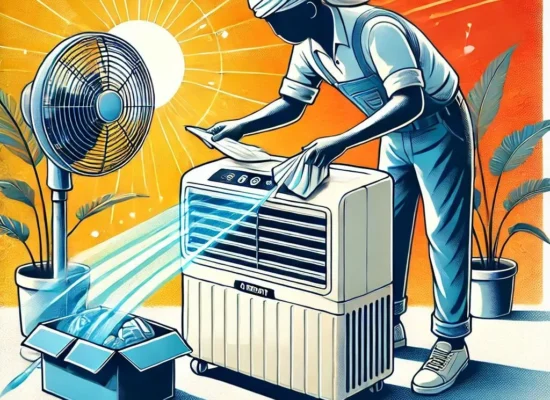
- Clean accessible tank surfaces with a suitable soft cloth or brush.
- Use only cleaning products permitted by the manufacturer.
- Rinse as directed and ensure the tank is ready for normal use before refilling.
Avoid abrasive cleaning tools, corrosive chemicals and pouring water over the electrical or external components. The McCoy user manual specifically advises against corrosive detergents and solvents and warns against pouring water onto the appliance.
Do not reach into inaccessible areas or dismantle components unless the manufacturer explicitly identifies the task as suitable for the user.
2. Inspect and Care for the Cooling Pads
Cooling pads allow water to evaporate as air passes through them. Dirt, mineral buildup or deterioration can interfere with airflow and cooling performance.
During routine care:
- Look for visible dirt, deposits or signs of deterioration.
- Check whether airflow has changed noticeably.
- Clean removable pads only according to the model’s instructions.
- Allow the appropriate components to dry as directed.
- Replace damaged or worn pads when necessary, using compatible parts specified for the model.
There is no single replacement interval that applies to every McCoy cooler. The appropriate timing depends on the pad material, condition, water quality, usage and manufacturer guidance.
If the pads remain blocked or deteriorated after appropriate cleaning, arrange a suitable inspection rather than forcing the material clean.
3. Keep Air Inlets and Outlets Clear
Blocked airflow can reduce cooling effectiveness and may contribute to abnormal operation.
Place the cooler where its air inlets and outlets have sufficient clearance. Keep curtains, furniture, stored objects and loose fabric away from the airflow path.
Wipe accessible exterior surfaces with a suitable damp cloth after disconnecting the appliance from power. Do not operate the cooler with its protective grille removed or loosely fitted.
If airflow remains weak despite clean accessible surfaces and unobstructed vents, the cause may involve the cooling media, fan, motor or another component. A symptom alone does not establish which part has failed.
4. Monitor Water Quality and Mineral Deposits
Water quality affects how quickly mineral deposits accumulate inside a cooler. Hard water can leave visible scale on the tank and other water-contact surfaces.
To manage this:
- Check the tank periodically for deposits.
- Remove scale only with a cleaning method approved for your model.
- Avoid assuming that vinegar, descaling chemicals or other household products are suitable for every component.
- Refill the tank with water that meets the manufacturer’s requirements.
Clean water and appropriate tank care can help reduce buildup, but they do not eliminate the need to inspect the cooling system.
5. Check for Water Leakage and Unusual Odours
A small amount of standing water or a dirty tank can contribute to unpleasant smells. Leakage, however, may indicate a damaged tank, loose fitting or another problem that requires investigation.
Check accessible areas around the tank and the floor beneath the appliance for signs of water.
If you notice a persistent smell, drain and clean the tank according to the manual. If the odour returns, inspect the accessible components for visible contamination and consider professional cleaning.
If water leaks repeatedly, stop using the cooler until the cause has been assessed. Keep water away from plugs, sockets and electrical components.
6. Listen for Unusual Noise or Changes in Operation
A change in sound, vibration, fan movement or water circulation can indicate that the cooler needs attention.
Watch for:
- Persistent rattling or unusual vibration.
- A fan that does not operate normally.
- Water that fails to circulate when the relevant function is selected.
- Repeated interruptions during operation.
- A burning smell or visible electrical damage.
These observations are warning signs, not definitive diagnoses. Do not open the motor housing, handle internal wiring, inspect live electrical parts or attempt to replace electrical components yourself.
Disconnect the appliance if it appears unsafe and arrange professional assistance.
7. Follow a Practical Maintenance Schedule
The appropriate maintenance frequency varies by model and operating conditions. Use the following as a routine planning guide, not as a substitute for McCoy’s instructions.
|
Maintenance task |
Suggested approach |
|
Exterior and airflow inspection |
Check regularly during use |
|
Water level and visible leakage |
Check before or during normal use as appropriate |
|
Tank cleaning |
Clean when needed, based on use and visible condition |
|
Cooling pad inspection |
Check periodically for dirt, scale or deterioration |
|
Unusual noise or performance changes |
Investigate promptly |
|
Off-season preparation |
Clean, drain and store according to the manual |
Daily use in dusty surroundings or water that leaves heavy deposits may require more frequent attention. Follow the maintenance instructions for your particular model rather than relying on a fixed schedule copied from another cooler.
For more detail, read our guide on how often you should clean an air cooler.
8. Prepare Your McCoy Air Cooler for Off-Season Storage
When you will not use the cooler for an extended period, proper storage helps keep it ready for the next season.
The McCoy user manual recommends removing the water, disconnecting the appliance, allowing appropriate components to dry and storing the unit in a dry, ventilated place.
Before storage:
- Switch off the cooler and unplug it.
- Drain the tank according to the manufacturer’s instructions.
- Clean accessible surfaces and components using approved methods.
- Allow the cooling media, filter and tank to dry as directed.
- Coil the power cord loosely and protect the appliance from dust.
- Store the cooler in a dry, ventilated location.
Some drying instructions depend on the specific design. Follow the manual for your model rather than assuming that every cooler should be run without water for the same duration.
Do not pack away a cooler while its tank or removable components remain wet when the manufacturer requires them to be dry.
9. Common Maintenance Mistakes to Avoid
Avoid these common mistakes when caring for your McCoy air cooler:
Cleaning while the appliance is connected to power. Always disconnect the cooler before cleaning or draining it.
Pouring water over the appliance. Moisture must not reach electrical components. Use the cleaning method specified by the manufacturer.
Using harsh chemicals. Abrasive or corrosive cleaners may damage surfaces and components.
Replacing parts on an arbitrary schedule. Inspect the actual condition and follow model-specific instructions.
Ignoring persistent warning signs. Repeated leakage, unusual noise, burning smells or electrical problems require appropriate attention.
Attempting electrical repairs without suitable training. Motors, wiring, capacitors and other internal components should be handled by qualified personnel when repair is required.
10. When Should You Seek Professional Assistance?
Routine cleaning may address dirt buildup, but some problems require inspection or repair.
Consider professional assistance if:
- Cooling remains poor after appropriate cleaning and airflow checks.
- Water continues to leak.
- The fan or water circulation system does not work normally.
- Persistent noise or vibration develops.
- Controls behave abnormally.
- There is a burning smell, visible electrical damage or repeated electrical interruption.
If you suspect an electrical fault, stop using the appliance and disconnect it only if you can do so safely. Do not continue testing a potentially unsafe cooler.
For more troubleshooting information, see our McCoy air cooler troubleshooting guide.
Frequently Asked Questions
How often should I maintain my McCoy air cooler?
Inspect it regularly while it is in use. Clean the tank and accessible components according to their condition, water quality, operating environment and the manufacturer’s instructions. There is no universal schedule for every model.
Can regular maintenance extend the life of a McCoy air cooler?
Regular care can help reduce avoidable dirt and mineral buildup and make developing problems easier to identify. However, actual service life also depends on component quality, usage, environment, repairs and other factors. No particular lifespan can be guaranteed.
Why is my McCoy air cooler not cooling properly?
Possible causes include dirty cooling media, restricted airflow, water circulation problems or a mechanical fault. Check only the accessible items covered by the user manual. If cleaning and airflow checks do not resolve the issue, seek professional diagnosis.
Should I replace the cooling pads every year?
Not necessarily. Replacement depends on the pad’s condition, the cooler model, usage and the manufacturer’s guidance. Inspect the pads and replace them when required with compatible parts.
How should I store a McCoy air cooler after summer?
Disconnect the appliance, drain the tank, clean accessible components and allow them to dry as directed. Store the cooler in a clean, dry and ventilated location, following the user manual for your model.
Is it safe to repair the cooler’s motor or electrical components at home?
Internal electrical and mechanical repairs can present shock, injury and equipment-damage risks. Unless the manufacturer explicitly identifies a task as suitable for the user, leave motor, wiring, capacitor and similar repairs to appropriately qualified personnel.
Conclusion
A consistent maintenance routine helps keep your McCoy air cooler clean, supports unobstructed airflow and makes potential problems easier to identify. Focus on water-tank care, cooling pad condition, visible leakage, safe cleaning and proper off-season storage.
Always use the instructions for your particular model and seek professional help when a problem goes beyond routine care. For further guidance, explore air cooler maintenance and repair services and confirm that the service you need is available for your location and model.