Why Is My Crompton Air Cooler Overheating? Causes, Safe Checks and When to Call a Technician
If your Crompton air cooler becomes unusually hot, slows down, shuts off repeatedly or develops a burning smell, stop using it until the cause can be assessed. These symptoms can have several explanations, including restricted airflow, water-circulation problems, mechanical faults or electrical issues. No single symptom confirms that the motor has failed.
You can make a few safe external observations, but internal electrical and motor repairs should be left to a qualified professional.
Is Your Crompton Air Cooler Overheating or Just Not Cooling Properly?
Poor cooling and actual overheating are different problems.
An air cooler may provide weak airflow or inadequate cooling because its cooling pads are dirty, the water supply is insufficient for its design, the airflow path is obstructed or the surrounding conditions are unsuitable for evaporative cooling.
Overheating is more concerning when the appliance becomes unusually hot, repeatedly shuts down, slows significantly, produces a burning smell or shows other abnormal operating symptoms.
If you are mainly experiencing weak cooling without unusual heat or shutdowns, see our guide to troubleshooting a Crompton cooler that is not blowing cold air.
Common Possible Causes of Crompton Air Cooler Overheating
The following are possible explanations, not confirmed diagnoses. The actual cause depends on the cooler’s model, condition and operating symptoms.
1. Restricted Airflow
Air coolers need an unobstructed path for air to enter and leave the appliance. Dust, debris or objects blocking the external inlet or outlet can reduce airflow and cooling performance.
What you can check: Look for obvious external obstructions and keep the surrounding airflow path clear. Switch off and unplug the appliance before carrying out any permitted external cleaning.
Do not remove electrical covers or open the motor compartment to investigate an internal blockage.
2. Dirty, Blocked or Worn Cooling Pads
Cooling pads support evaporative cooling by allowing water and air to interact. Heavy dirt, mineral deposits, deterioration or inadequate water distribution can reduce cooling performance.
Dirty pads do not automatically mean that the motor is overheating, so avoid treating pad cleaning as a guaranteed fix for every heat-related symptom.
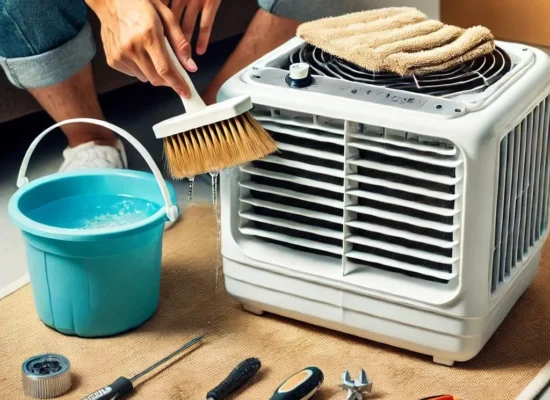
What you can check: Look for visible dirt or deterioration if the pads can be seen without dismantling the appliance. Clean or maintain them only as instructed in the manual for your specific Crompton model.
3. Water-Circulation Problems
Models that use a water pump rely on suitable water circulation to keep the cooling pads supplied with water. A circulation problem can reduce cooling performance.
Possible causes include a pump fault, a blockage or another component issue. An external observation alone cannot establish which part has failed.
What you can check: If water circulation is visible during normal operation and can be observed safely, note whether it appears normal. Do not reach into the appliance, open the pump housing or attempt internal repairs.
4. Inadequate Water Level
For models that use a water tank, an insufficient water level can interfere with normal evaporative cooling and may affect water-pump operation, depending on the design.
What you can check: Read the normal water-level indicator and follow the instructions for your model. Do not assume that every Crompton air cooler has the same tank arrangement or water-level requirements.
Low water alone does not prove that the motor is overheating.
5. Poor Ventilation or Unsuitable Operating Conditions
Air coolers work through evaporation, so surrounding airflow and humidity influence their cooling effectiveness. High humidity can reduce evaporative cooling performance even when the appliance itself is functioning normally.
What you can check: Ensure the cooler has suitable airflow through the surrounding space and is being used according to the manufacturer’s instructions.
Improving ventilation may help with poor cooling, but it will not resolve an internal electrical or mechanical fault.
6. Fan or Motor Problems
A fan that slows down, stops unexpectedly, makes unusual noises or behaves inconsistently may indicate a mechanical or electrical fault.
A motor problem is one possibility, but overheating symptoms alone do not justify replacing the motor.
What you should do: Stop using the appliance if it becomes unusually hot, repeatedly shuts down or develops a burning smell. Arrange professional inspection rather than opening the motor compartment or attempting a repair.
7. Electrical or Control-Related Faults
Electrical or control-related problems may cause abnormal operation, repeated shutdowns or other warning signs. Their cause cannot reliably be identified from an external symptom alone.
If you notice sparking, exposed wiring, a burning smell, repeated circuit trips or water reaching electrical areas, stop using the cooler. Do not remove electrical covers or attempt repairs to wiring, capacitors, switches, control boards or motors.
Warning Signs You Should Not Ignore
Stop using the cooler and arrange appropriate inspection if you notice:
- A burning or electrical smell.
- Repeated unexpected shutdowns.
- Significant or persistent abnormal heat.
- Fan speed repeatedly dropping or the fan stopping.
- Sparking or exposed wiring.
- Repeated tripping of an electrical protection device.
- Water reaching an electrical area.
- Unusual grinding, buzzing or other persistent mechanical noise.
Do not repeatedly restart an appliance that is showing serious warning signs. If you suspect an immediate electrical hazard, keep away from the appliance and seek appropriate assistance.
Safe Checks You Can Make Before Requesting Repair
If there are no serious warning signs, you can gather useful information without opening the appliance.
- Check the water level: For a water-cooled model, use the normal external indicator and follow the model’s instructions.
- Look at the external airflow path: Check whether objects or visible debris are obstructing the inlet or outlet.
- Observe accessible cooling pads: Note obvious dirt or damage without dismantling the cooler.
- Record the symptoms: Note unusual sounds, reduced fan speed, shutdowns or changes in cooling performance.
- Record when the problem occurs: Note whether the symptom begins immediately, appears after some operating time or returns after restarting.
If the appliance is unusually hot, smells burnt, sparks or repeatedly trips electrical protection, do not perform further operating tests. Leave it switched off and arrange inspection.
What You Should Not Attempt Yourself
Do not try to repair or test internal electrical or mechanical components unless you have the appropriate training and equipment.
Avoid attempting to:
- Open the motor or electrical compartment.
- Handle exposed wiring or capacitors.
- Bypass protective devices or switches.
- Test internal electrical components using improvised tools.
- Force a jammed fan or pump to operate.
- Replace a motor based only on overheating symptoms.
These tasks can present electrical, mechanical and appliance-damage risks. Follow the manufacturer’s instructions and use an appropriately qualified repair professional.
What a Technician May Need to Inspect
Depending on the symptoms and the specific model, a technician may need to assess:
- Motor and fan operation.
- Airflow and accessible obstructions.
- Cooling-pad condition.
- Water-pump operation and circulation.
- Water tank and drainage.
- Mechanical wear or damage.
- Controls and electrical components.
The inspection should establish whether cleaning, maintenance, a component repair, replacement or further diagnosis is appropriate. Overheating does not automatically mean the motor needs replacing.
How to Reduce the Chance of Future Problems
Routine maintenance can help maintain cooling performance and reveal developing problems.
- Keep the water tank clean according to the manufacturer’s instructions.
- Maintain the cooling pads as specified for your model.
- Keep external airflow paths clear.
- Follow the recommended water-level and operating instructions.
- Pay attention to unusual changes in noise, fan speed and water circulation.
- Stop using the appliance when serious electrical or overheating symptoms appear.
- Seek inspection when the same problem returns after normal maintenance.
For model-specific operating advice, consult Crompton’s air-cooler usage guide and the instructions supplied with your appliance.
When Should You Request Professional Inspection?
Arrange professional inspection if your Crompton air cooler repeatedly overheats, shuts down, slows significantly, develops unusual mechanical noise or continues to perform abnormally after appropriate external checks.
Stop using the appliance immediately if there is a burning smell, sparking, exposed wiring, significant overheating or another serious electrical warning sign.
If your cooler stops working suddenly as well as overheating, our guide to what to do when a Crompton cooler stops working suddenly covers that related symptom.
Crompton Air Cooler Service Through Aircooler Clinic
Aircooler Clinic is a unit of FIXNEARME providing doorstep air cooler services in Hyderabad and applicable service areas. Aircooler Clinic operates as a service-area business and does not operate a separate physical service center.
Crompton is included in Aircooler Clinic’s published brand-service information. Support for your particular model and location should be confirmed before arranging service.
If your cooler is repeatedly overheating or shutting down, provide the service team with your location, model number if known, and a description of the symptoms.
Phone: 7997100067
Email: aircoolerclinic@gmail.com
Confirm service availability for your location before arranging a visit.
Frequently Asked Questions
Why is my Crompton air cooler overheating?
Possible causes include restricted airflow, cooling-pad problems, water-circulation issues, mechanical faults or electrical problems. The actual cause cannot be confirmed from the symptom alone.
Can dirty cooling pads cause overheating?
Dirty or blocked pads can reduce airflow or cooling performance. However, poor cooling does not automatically mean the motor is overheating. The appliance’s actual symptoms and condition need to be assessed.
Can low water cause an air cooler to overheat?
An insufficient water level can reduce cooling performance and may affect pump operation in models that use a water tank. The effect depends on the design and operating conditions, so follow your model’s instructions.
Why does my Crompton cooler keep shutting down?
Repeated shutdowns can have several possible causes, including overheating, electrical or control faults, motor problems or other component issues. Stop repeated operation and arrange inspection if the problem persists.
What should I do if my Crompton cooler smells burnt?
Switch it off and stop using it. Do not open the motor or electrical section. A burning smell can indicate a serious fault and should be professionally inspected.
Should I replace the motor if the cooler overheats?
Not necessarily. Restricted airflow, other mechanical problems or electrical faults may produce similar symptoms. The underlying cause should be identified before deciding whether any component needs replacement.
Can better ventilation improve air-cooler performance?
Suitable ventilation can improve evaporative cooling performance. It will not correct an internal motor, pump or electrical fault.
How can I request Crompton air cooler service from Aircooler Clinic?
Call 7997100067 or email aircoolerclinic@gmail.com. Share your location, model number if available and the symptoms you have observed. Confirm doorstep service availability before arranging a visit.
Conclusion
A Crompton air cooler that becomes unusually hot, slows down or repeatedly shuts down should not be diagnosed by guessing which component has failed.
Start with safe external observations only when there are no serious warning signs. If abnormal heat persists, shutdowns recur or electrical symptoms appear, stop using the appliance and arrange professional inspection.
For applicable Hyderabad service areas, contact Aircooler Clinic to discuss the problem and confirm doorstep service availability.